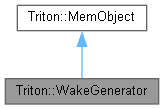
A WakeGenerator represents an object on the water that generates a wake as it moves, such as a ship. More...
#include <WakeGenerator.h>
Public Member Functions | |
| WakeGenerator (Ocean *pOcean, const WakeGeneratorParameters ¶meters) | |
| Construct a WakeGenerator with the same Triton::Ocean it will be associated with. | |
| void TRITONAPI | Update (const Vector3 &pPosition, const Vector3 &pDirection, double pVelocity, double pTime, bool pDisableWash=false) |
| For any active WakeGenerator, this should be called every frame to update its position and velocity. | |
| void | ClearWakes () |
| Clears all previously emitted wakes from the Ocean. | |
| Vector3 TRITONAPI | GetPosition () const |
| Retrieves the world position of the WakeGenerator. | |
| Vector3 TRITONAPI | GetSternPosition () const |
| Retrieves the world position of the point where stern wakes originate from. | |
| double TRITONAPI | GetVelocity () const |
| Retrieves the velocity of the WakeGenerator. | |
| bool TRITONAPI | HasPropWash () const |
| Retrieves whether propeller backwash was enabled for this wake generator. | |
| void TRITONAPI | SetLODDistance (double distance) |
| Sets the distance at which the number of visible wake waves will be halved. | |
| double TRITONAPI | GetLODDistance () const |
| Retrieves the LOD distance set in Triton::WakeGenerator::SetLODDistance(), or 0 if LOD is disabled. | |
| const WakeGeneratorParameters &TRITONAPI | GetParameters () const |
| Returns the current parameters for this WakeGenerator. | |
| void TRITONAPI | SetParameters (const WakeGeneratorParameters ¶meters) |
| Set this WakeGenerator's parameters using the WakeGeneratorParameters provided. | |
Detailed Description
A WakeGenerator represents an object on the water that generates a wake as it moves, such as a ship.
Simply call Triton::WakeGenerator::Update() to move the object and generate a realistic wake behind it. Any WakeGenerator moving at constant velocity will generate a wake of 19.46 degrees behind it, but acceleration, deceleration, and curved paths are all handled properly as well.
Constructor & Destructor Documentation
◆ WakeGenerator()
| Triton::WakeGenerator::WakeGenerator | ( | Ocean * | pOcean, |
| const WakeGeneratorParameters & | parameters | ||
| ) |
Construct a WakeGenerator with the same Triton::Ocean it will be associated with.
This form of the constructor takes a WakeGeneratorParameters class instead of a long list of parameters, and is the preferred constructor to ensure code readability and prevent errors from misplaced parameters.
- Parameters
-
pOcean The Triton::Ocean object you will associate this WakeGenerator with. A common error is to create a WakeGenerator before the Ocean has been created, so make sure this is a valid, non-null pointer. parameters A Triton::WakeGeneratorParameters object containing the properties of this WakeGenerator.
Member Function Documentation
◆ GetPosition()
|
inline |
Retrieves the world position of the WakeGenerator.
- Returns
- The world position of the WakeGenerator, as last specified by Triton::WakeGenerator::Update().
◆ GetVelocity()
|
inline |
Retrieves the velocity of the WakeGenerator.
- Returns
- The velocity of the WakeGenerator in world units per second, as last specified by Triton::WakeGenerator::Update().
◆ SetLODDistance()
|
inline |
Sets the distance at which the number of visible wake waves will be halved.
For example, if a WakeGenerator has built up 8 wake waves and propeller wash segments and you pass a distance of 1000 meters, all 8 will be visible when the camera is closer than 1km to the WakeGenerator's position. Between 1 and 2km, every other wave will be skipped, resulting in 4 waves. From 3 to 4km, you'll get 2, which is as low as it will go.
Set this to 0 to disable LOD, which is the default.
◆ Update()
| void TRITONAPI Triton::WakeGenerator::Update | ( | const Vector3 & | pPosition, |
| const Vector3 & | pDirection, | ||
| double | pVelocity, | ||
| double | pTime, | ||
| bool | pDisableWash = false |
||
| ) |
For any active WakeGenerator, this should be called every frame to update its position and velocity.
No wake will be generated until this is called.
- Parameters
-
pPosition The position of the object generating the wake, such as the stern of a ship, in world coordinates. pDirection A normalized direction vector indicating the direction this object is moving in. pVelocity The velocity of the object generating the wake, in world units per second. pTime The current simulated time sample, in seconds. This should be realtive to the same start time used for the time stamps sent into Triton::Ocean::Draw(). pDisableWash Temporarily stops emission of prop wash segments, allowing you to simulate engines turning on or off.
The documentation for this class was generated from the following file:
- C:/triton/Public Headers/WakeGenerator.h